
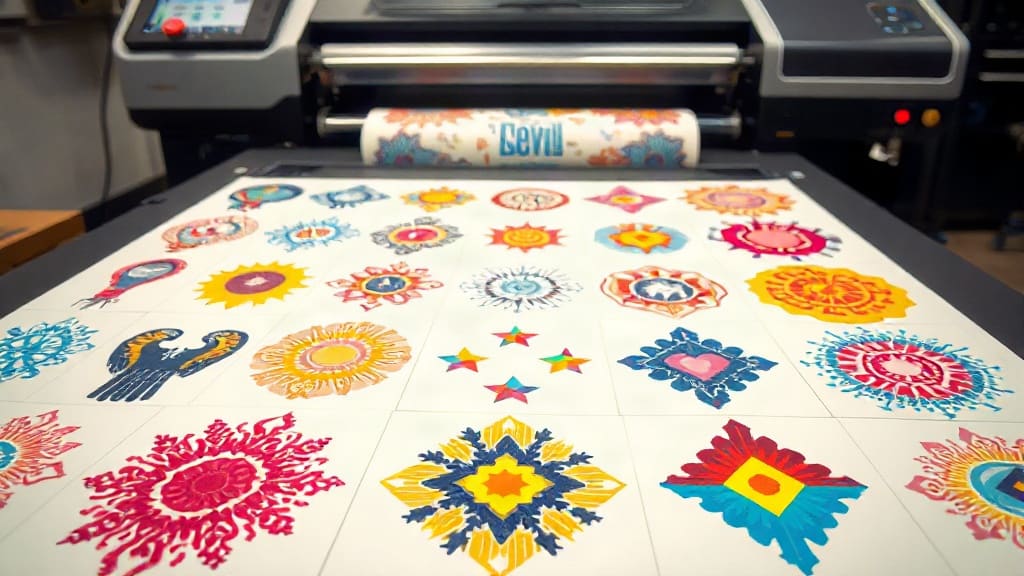
If you're in the apparel decoration business, you've likely heard about DTF printing. It's a game-changer for transferring vibrant designs onto various fabrics. But did you know that how you arrange your prints can dramatically affect your efficiency and bottom line? Enter the DTF gangsheet – a method that's transforming workflows for print shops worldwide. In this guide, we'll dive deep into what gangsheets are, why they matter, and how to leverage them for maximum productivity.
What is a DTF Gangsheet?
A DTF gangsheet is essentially a large sheet of DTF transfer film that contains multiple designs arranged together. Instead of printing one design at a time, you consolidate many jobs onto a single sheet. This approach maximizes the use of your printer's bed and film, reducing waste and saving time. Think of it as batch printing for DTF – you're grouping numerous transfers into one efficient print run.
Why does this matter? In traditional DTF printing, if you have a small order, you might end up with a lot of unused film and wasted ink. A gangsheet allows you to fill that empty space with other designs, whether they're for the same order or for future jobs. It's a smart way to optimize your resources.
The Anatomy of a Gangsheet
A typical gangsheet consists of several key elements:
- Multiple designs: These can be different sizes, shapes, and colors.
- Nesting: Arranging designs closely to minimize gaps.
- Registration marks: Guides for cutting and alignment.
- Color bars: For quality control and color consistency.
Creating a gangsheet requires planning. You need to consider the dimensions of your printer's platen, the size of each design, and how they fit together. Software tools can help automate this process, but even manual layout can yield great results with practice.
Why Use a DTF Gangsheet?
The benefits of gangsheets extend beyond just saving film. Here are the main advantages:
1. Time Efficiency
Printing multiple designs in one pass drastically reduces the time spent loading and unloading film. Instead of running the printer for each individual job, you can complete several orders in a single cycle. For a busy shop, this means faster turnaround times and happier customers.
2. Cost Savings
DTF film and ink aren't cheap. By maximizing the use of each sheet, you cut down on waste. You also reduce the number of print runs, which saves on electricity and wear and tear on your printer. These savings add up quickly, especially for high-volume operations.
3. Consistent Quality
When you print multiple designs together, they all go through the same process – same ink, same powder, same curing. This consistency can lead to more uniform results across your transfers. It also makes it easier to spot any issues early on.
4. Simplified Workflow
Gangsheets streamline your production. Instead of managing dozens of small print jobs, you handle one large sheet. Cutting and pressing become more organized, and you can batch similar jobs together. This organization reduces errors and boosts overall efficiency.
How to Create an Effective DTF Gangsheet
Creating a gangsheet isn't just about throwing designs onto a canvas. A well-planned sheet can mean the difference between profit and loss. Follow these steps to optimize your gangsheets.
Step 1: Plan Your Layout
Start by determining the size of your printer's platen. Common sizes include 13x19 inches, 16x20 inches, and larger for industrial machines. Then, list all the designs you need to print, along with their dimensions. Use design software like Adobe Illustrator or dedicated DTF RIP software to arrange them. Aim to fill the sheet as much as possible without overlapping designs. Leave a small gap between designs for easy cutting.
Step 2: Optimize Design Placement
Consider the orientation of each design. Rotating designs can sometimes allow for a tighter fit. Also, group similar sizes together to create a more uniform sheet. If you have many small designs, nest them within larger empty areas. Remember to include registration marks and color bars if your workflow requires them.
Step 3: Choose the Right Film
Not all DTF films are created equal. For gangsheets, you want a film that offers good ink absorption and release. Double-sided matte film is popular for high-detail prints. Ensure the film size matches your printer's capabilities. You can purchase pre-cut sheets or rolls, but sheets are easier to handle for gangsheet creation.
Step 4: Print and Cure
Once your layout is ready, print it using your DTF printer. Follow your printer's settings for ink density and color profiles. After printing, apply hot melt powder evenly across the sheet. Shake off excess powder, then cure the sheet in an oven or with a heat press. Proper curing ensures the transfers will adhere well and last long.
Step 5: Cut and Store
After curing, cut out each design. You can use scissors, a guillotine cutter, or a plotter with a cutting blade. Store the transfers in a cool, dry place away from direct sunlight. They'll be ready to press whenever you need them.
Common Mistakes to Avoid with DTF Gangsheets
Even experienced printers can make mistakes. Watch out for these pitfalls:
- Overcrowding: Packing designs too tightly can cause ink bleeding or difficulty cutting.
- Inconsistent powder application: Uneven powder leads to poor adhesion.
- Ignoring film orientation: Printing on the wrong side ruins the transfer.
- Not testing: Always do a test press to ensure quality.
By avoiding these errors, you'll get the most out of your gangsheets.
DTF Gangsheet vs. Traditional DTF Printing
How does gangsheet printing compare to printing individual transfers? Let's break it down.
| Aspect | Gangsheet | Individual |
|---|---|---|
| Time per job | Lower (batch) | Higher |
| Film waste | Minimal | Higher |
| Cost per transfer | Lower | Higher |
| Setup complexity | Higher | Lower |
While gangsheets require more upfront planning, the long-term benefits are clear for any shop doing more than a few transfers a day.
Software Tools for Gangsheet Creation
Several software options can help you create gangsheets efficiently. Adobe Illustrator and CorelDRAW are versatile but require manual layout. Dedicated DTF RIP software like Cadlink or PrintFactory offer nesting features that automatically arrange designs. Some online tools also provide gangsheet builders. Choose based on your volume and budget.
Maximizing Profit with DTF Gangsheets
To truly profit from gangsheets, consider offering them as a service. Many small businesses don't have DTF printers but need transfers. You can sell gangsheets with multiple designs, either custom or stock. This opens new revenue streams. Also, use gangsheets to fulfill large orders quickly, impressing clients with fast turnaround.
Frequently Asked Questions
What is a DTF gangsheet?
A DTF gangsheet is a single sheet of transfer film containing multiple designs printed together. It allows for efficient batch production, saving time and materials.
How do I create a DTF gangsheet?
Use design software to arrange your designs on a canvas sized to your printer's platen. Ensure proper spacing, then print, powder, and cure as usual.
Can I use any DTF printer for gangsheets?
Yes, most DTF printers can handle gangsheets as long as the sheet size fits the printer's bed. Larger printers allow for bigger gangsheets.
What are the benefits of using gangsheets?
Gangsheets reduce film waste, save time, lower costs, and ensure consistent quality across multiple transfers.
How do I store DTF gangsheet transfers?
Store them in a cool, dry place, away from sunlight and moisture. Properly stored transfers can last for months.
Ready to boost your DTF printing efficiency? Try creating a DTF gangsheet today and experience the difference. For more tips and high-quality DTF supplies, visit dtfproprint.com.