
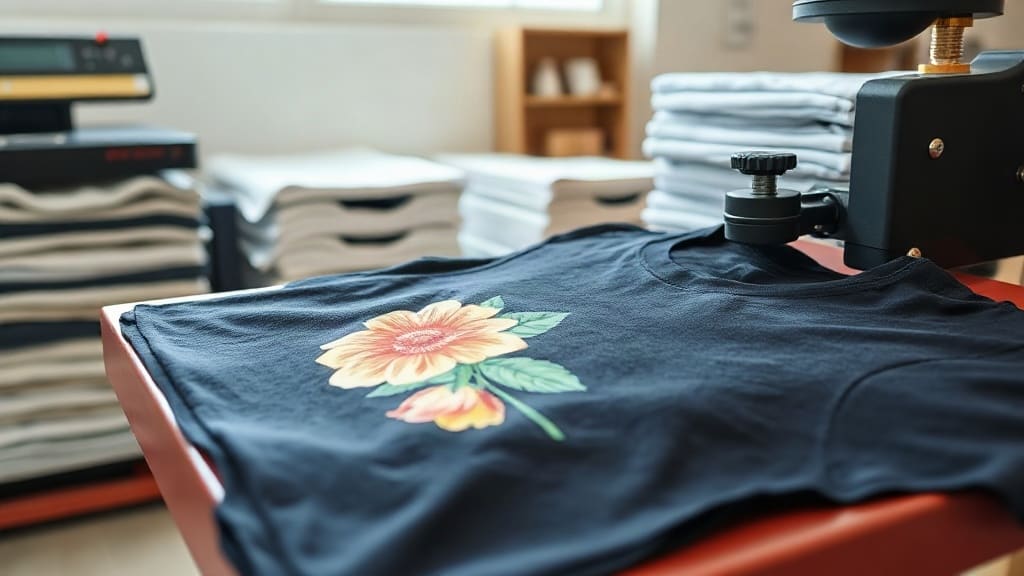
When you first hear about DTF Transfers, you might wonder if they are just another fleeting trend in garment decoration. But after using them in my own shop for over a year, I can tell you they are a game-changer. Unlike traditional vinyl or screen printing, DTF transfers offer unmatched versatility, letting you print full-color designs on almost any fabric without the hassle of weeding or color limitations. Whether you are a small business owner or a DIY enthusiast, understanding DTF transfers can open up a world of possibilities for custom apparel.
What Are DTF Transfers?
DTF stands for Direct to Film. It is a printing method where your design is printed onto a special film using a DTF printer, then coated with a hot-melt adhesive powder. Once the powder is cured, the transfer is ready to be applied to fabric using a heat press. The magic lies in the film: it holds the ink and adhesive, allowing you to transfer intricate, multi-colored designs onto various materials, including cotton, polyester, blends, and even nylon. Unlike DTG (Direct to Garment) printing, which requires pre-treatment and works best on cotton, DTF transfers are incredibly forgiving and produce vibrant results on dark and light fabrics alike.
Why Choose DTF Transfers Over Other Methods?
If you have ever spent hours weeding vinyl or struggled with screen printing setups, you will appreciate the simplicity of DTF. Here are some key advantages:
- No Weeding Required: The film holds the entire design, so there is no tedious cutting or weeding. Just print, powder, cure, and press.
- Unlimited Colors: DTF printers use CMYK plus white ink, so you can print photorealistic images, gradients, and fine details without color separation.
- Fabric Versatility: Works on cotton, polyester, blends, leather, and more. No need for different materials for different fabrics.
- Durability: When applied correctly, DTF transfers withstand repeated washing without cracking, peeling, or fading.
- Cost-Effective for Small Runs: Unlike screen printing, there are no setup fees or minimum orders. You can print one-off designs profitably.
In my experience, DTF transfers have allowed me to take on orders I would have turned down before, like a batch of 50 polyester performance shirts with a complex logo. The results were flawless, and the customer was thrilled.
How to Apply DTF Transfers: Step-by-Step
Applying DTF transfers is straightforward, but following the right steps ensures a professional finish. Here is my go-to process:
- Preheat Your Heat Press: Set the temperature to 325°F (160°C) for cotton or 300°F (150°C) for polyester. Preheat for at least 30 seconds to ensure even heat.
- Pre-Press the Garment: Place the garment on the press and press for 5-10 seconds to remove moisture and wrinkles. This step is crucial for adhesion.
- Position the Transfer: Place the DTF transfer on the garment with the printed side facing up. If your transfer has a white backing, that side goes against the fabric.
- Press: Apply medium to firm pressure for 15-20 seconds. For best results, use a heat press rather than an iron, as consistent pressure is key.
- Peel: Wait for the transfer to cool completely (cold peel) before removing the film. Some films are hot peel, so check your supplier's instructions. Cold peel generally gives a smoother finish.
- Post-Press (Optional): For extra durability, cover the design with a Teflon sheet or parchment paper and press again for 5-10 seconds.
I always test a small piece first when trying a new film brand. It saves a lot of heartache if the peel timing is different.
Common Mistakes to Avoid with DTF Transfers
Even though DTF is user-friendly, a few missteps can ruin your project. Watch out for these:
- Insufficient Pressure: Without enough pressure, the adhesive won't bond properly, leading to early peeling.
- Wrong Temperature: Too hot and the film may scorch; too cool and the adhesive won't activate. Always follow the manufacturer's recommendations.
- Peeling Too Soon: If you peel while hot, the design may stretch or leave residue. Patience pays off.
- Ignoring Fabric Type: Polyester requires lower temperatures to avoid dye migration. Use a low-temperature adhesive powder if needed.
- Not Storing Transfers Properly: Keep unused transfers in a cool, dry place away from direct sunlight. Moisture can affect the powder.
I learned the hard way that pressing a transfer onto a shirt with a zipper can cause uneven pressure, so always ensure a flat surface.
DTF Transfers vs. Other Printing Methods
How does DTF stack up against DTG, screen printing, and vinyl? Here is a quick comparison:
- DTG: Best for 100% cotton, requires pre-treatment, limited color vibrancy on dark shirts. DTF works on more fabrics and has brighter colors on darks.
- Screen Printing: Cost-effective for large runs, but setup costs and color limitations. DTF is better for small batches and complex designs.
- Vinyl: Great for simple one-color designs, but weeding is time-consuming. DTF handles intricate multi-color designs effortlessly.
For a shop like mine that does a mix of one-offs and small batches, DTF transfers offer the best balance of quality, speed, and cost.
Tips for Long-Lasting DTF Prints
To ensure your DTF transfers stand the test of time, follow these care tips:
- Wash garments inside out in cold water.
- Avoid fabric softeners and bleach.
- Tumble dry on low or hang dry.
- Iron on the reverse side if needed, never directly on the print.
I also recommend doing a wash test on a sample before selling to customers. It gives you confidence in your product.
Frequently Asked Questions
Can I use DTF transfers on 100% polyester?
Yes, DTF transfers work well on polyester, but you need to adjust the temperature to around 300°F (150°C) to prevent dye migration. Using a low-temperature adhesive powder can also help.
How long do DTF transfers last?
With proper application and care, DTF transfers can last as long as the garment itself, often 50+ washes without significant fading or cracking.
Do I need a special printer for DTF transfers?
Yes, you need a DTF printer that uses pigment inks and white ink. However, you can also buy pre-printed transfers from suppliers if you don't want to invest in a printer.
What is the difference between hot peel and cold peel DTF transfers?
Hot peel transfers are removed immediately after pressing while still hot, resulting in a slightly textured finish. Cold peel transfers are removed after cooling, giving a smoother finish. Always check your film's instructions.
Can I layer DTF transfers?
Yes, you can layer DTF transfers, but it's best to press each layer separately and use a lower temperature for subsequent presses to avoid disturbing the previous layer.